/ 2 min read
The World tab
The round no longer needs the shell. The library, the page that already shows the props, the characters and the reference boards, has a World tab.
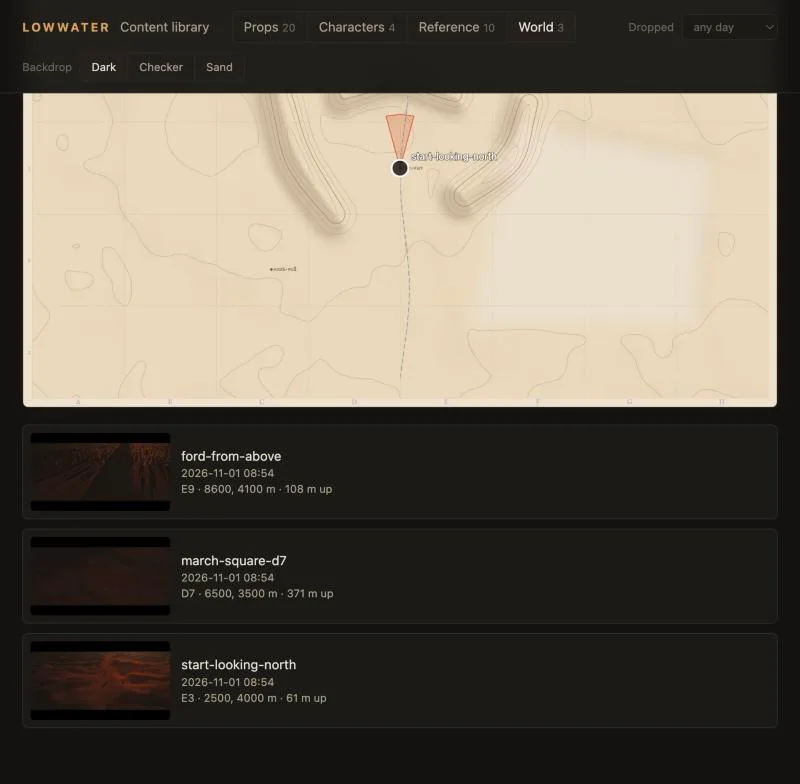
What it shows
Every vantage you have kept, pinned on the survey sheet with a wedge for where it looks, and listed newest first with its grab, when it was dropped and which square it is in. Click one and it opens: the grab large, the board rounds' frames of it so far, where it sits in words and on a small map, and the brief you wrote for it in vantages.json. G grabs from the ride are in the same list, marked as grabs. The game now stamps each vantage with when it was dropped, and the generator writes a plain sheet without its own glyphs, so the page's pins are the only ones and they are always current.
Leaving feedback
Under the vantage is a note box. It saves as you type, into feedback/notes.json next to the world. Drop or paste images beside it, reference or sketches or anything, and they land in the same folder named by the vantage and the time. A filled pin on the map means a note the agent has not read yet.
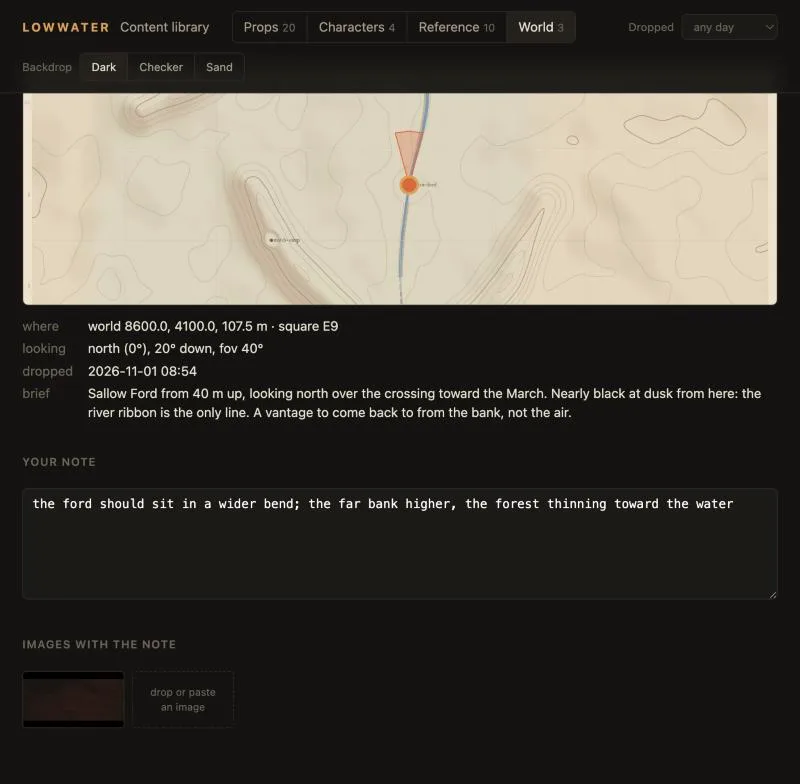
The hand-off
Start a session and say "review my notes". The agent reads every note and image, edits the world, writes the rounds line, regenerates, renders the board, and then clears the notes it acted on and answers the ones it only read. The answer shows on the vantage until you edit the note again, which hands it back. Git keeps every note that was ever cleared.
The page never edits the world. That stays the agent's job, with the records it writes.
Lowwater is in development. These notes capture the game at the time of writing; plans and visuals may change.